| Secure Your Sales |
Secure
your digital products quickly and easily. DLGuard provides
a secure sales link to help prevent people from skipping your payment system. DLGuard will then make sure a valid payment
was made, and then pass your customer on to their secure download
area and send them a custom download email containing their link.
[ more info | order ] |
|
|
|
| Create Membership Sites |
Do you provide a paid or free membership area? DLGuard is the perfect tool to easily manage your memberships. With automatic signups and removals, and protected download links within your membership area, creating a recurring sales website has never been so easy!
[ more info | order ] |
|
|
MARLON SANDERS:
"Sam, I've bought a LOT of products that were delivered with your DLGuard. The delivery went smoothly and professionally in every case. Congratulations on your "trick" software."
-- Marlon Sanders
www.amazingformula.com
Allen Says:
"DLGuard. It's a real product, by a Warrior, that provides a needed service to people, no hype needed."
-- Allen Says
www.warriorforum.com
Ken Calhoun:
"DLGuard is an extremely effective, well-developed program that I recommend heartily to all clickbank sellers and anyone else who sells downloadable media, Highly recommended."
-- Ken Calhoun
www.daytradinguniversity.com
Dr. Mani Sivasubramanian:
"Sam, this has got to be the EASIEST install I've had the pleasure of doing this year - or even in the last 3 years! For such a complex, powerful script, set-up was drop-dead easy. I'm impressed with DL Guard, and will certainly be telling my clients about it.Thanks again, Sam"
-- Dr. Mani Sivasubramanian www.EzineMarketingCenter.com
Harvey Segal:
"The last time I tried to implement a download management solution I gave up after page 42 of a huge complex manual. With DLGuard it was ridiculously easy to install and then to run. Add to that Sam's superb customer support and constant innovation and it's an easy decision to purchase."
-- Harvey Segal
www.supertips.com
Michalis "Big Mike" Kotzakolios:
"All I can say is if you're selling downloadable products on line, then take it from me – buy this program right now! Sam – well done! You've just earned a whole lot of respect from me as a fellow programmer and web developer."
-- Michalis "Big Mike" Kotzakolios
www.niche-mania.com |
| Built-In Shopping Cart |
With DLGuard's built in shopping cart system you can offer your customers the choice of which products they would like to buy, allow them to add them to their shopping cart and then make one single payment for all their products. This is perfect for people who sell ebooks, software, downloadable music, and more!
[ more info | order ] |
|
|
|
| Secure Download Links |
Stop download link sharing and thankyou / download page sharing with expiring download links. DLGuard allows you to set a time limit for the amount of time a link is valid as well as limit the number of times someone can use that link. This offers flexible security for your product, helping to fight against piracy.
[ more info | order ] |
|
|
| Offer Promotional Coupons |
Coupons can help increase your business sales. DLGuard will allow you to create coupons to give access to a secret product or to give a discount to a public product. Using coupons can help generate customer interest and increase sales conversions.
[ more info | order ] |
|
|
|
| Full and Easy Customization |
All the screens your customers see are generated from standard HTML templates and a language file. You can modify these templates to fully blend in with your website, or to translate it into a different language. Each of your products can have its own custom template.
[ more info | order ] |
|
|
| Automatic Mailing List Signups |
DLGuard will automatically add your customers to your mailing list after a sale is made. No more manual submissions, no more annoying your customers by asking them to jump through hoops. Just easy, instant, and invisible auto responder signup.
[ more info | order ] |
|
|
|
| Sales and Download Reporting |
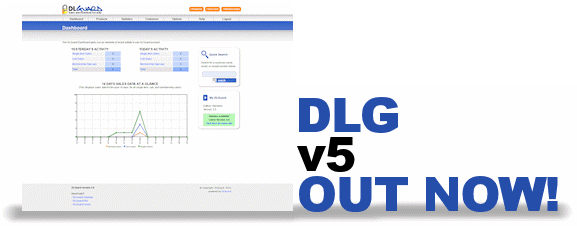
Simply by using a DLGuard HTML sales button, DLGuard will count the raw and unique visitors to your sales page, then use the sales tracking to calculate your conversion rates and show the details in an easy to read graph. Download attempts are also tracked so you can keep an eye on your business.
[ more info | order ] |
|
|


 Open Support Ticket